Fifty dark web terms you’ll run into when reading about Tor and the dark web, each explained in plain English. Every entry also tells you where you’re likely to see the word and, when it happens, how the word gets misused. Terms with a full guide link straight to it.
Half the confusion about the dark web is really confusion about vocabulary. A news story calls something a “dark web site” when it’s a deep web database. A forum post calls an exit relay a “hacker server”. A crime drama says someone “went into the darknet” as if it were a building with a door. Get the words straight and most of the mystery goes with them.
That’s why this glossary does a little more than define things. Each entry tells you where the word usually turns up, so you know whether you’re reading Tor’s own documentation, a security guide, a court filing or a headline. And when a term is regularly used wrong, we say so, because the wrong meaning is often the one you’ve already heard.
We’ve kept it to technical, legal and safety terms. You won’t find market or vendor slang here, and you won’t find it anywhere else on itsdark.io either.
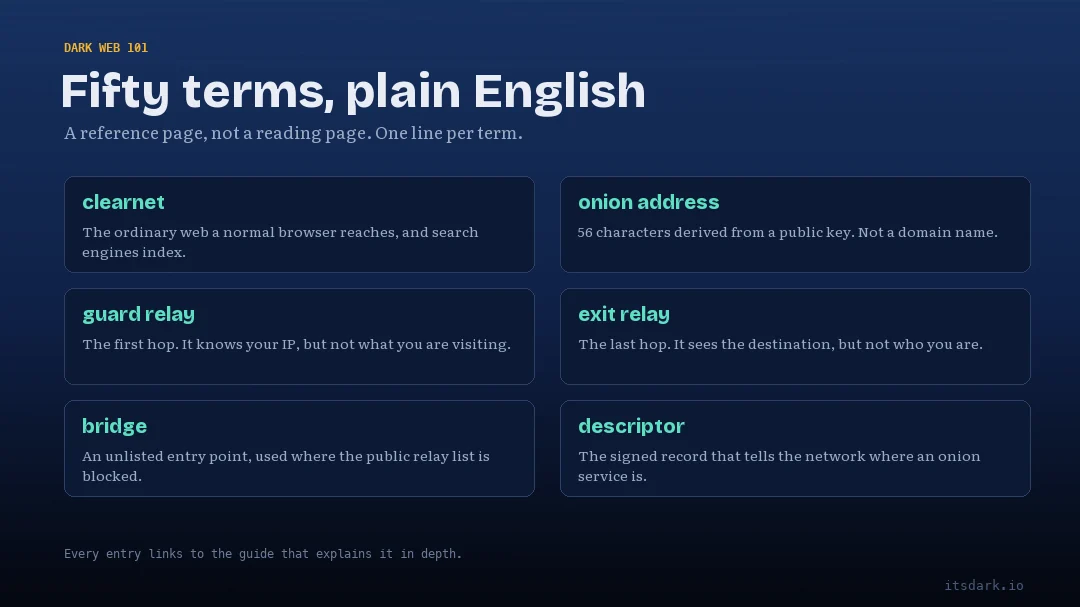
How to read this glossary
Jump to a letter. A · B · C · D · E · F · G · H · I · M · N · O · P · R · S · T · V
Every entry starts with a short definition. Underneath it you’ll find one or two extra lines.
- Where you’ll see it tells you the setting the word usually lives in. That might be Tor Browser’s own screens, a security guide, a news report or a court document. Knowing the setting helps you judge how precisely the word is being used.
- Often misused appears only when a term is regularly bent out of shape, usually in headlines or on social media. It explains the wrong meaning and the right one.
If you’d rather learn the words by subject than alphabetically, skip to the table at the end, which groups them into layers of the web, how Tor moves traffic, addresses, privacy and safety, tools, and legal and news terms. If you’re completely new to all of this, it’s worth reading What Is the Dark Web? first and coming back here when a word trips you up.
A
Anonymity set
The group of people you can’t be told apart from. If a thousand people are using Tor Browser with identical settings, you hide among those thousand. Change a setting nobody else changes and your set can shrink to one. This is the quiet reason Tor Browser asks you not to install extensions or tweak it.
Where you’ll see it. Privacy research, security guides and Tor Project documentation.
B
Bridge
A Tor entry relay that isn’t listed publicly, so a government or internet provider can’t simply block it from a list. People in countries that block Tor use bridges to get their first foot in the door. You can request them from inside Tor Browser’s connection settings or from bridges.torproject.org.
Where you’ll see it. Tor Browser’s connection settings and censorship reports.
Browser fingerprinting
Identifying a browser by the small details it gives away, such as screen size, installed fonts, time zone and graphics card. Put together, these details can single you out without any cookies at all. Tor Browser fights it by making every user look the same, which is why its window sometimes shows grey margins around a page. That feature, called letterboxing, hides your exact screen size.
Where you’ll see it. Privacy guides and tools such as the EFF’s Cover Your Tracks test.
C
Circuit
The path your traffic takes through the Tor network, normally three relays long. Tor Browser builds a new circuit for each website you visit and swaps circuits periodically. You can see yours by clicking the padlock or site information icon in the address bar.
Where you’ll see it. Tor Browser’s site information panel and anything explaining how Tor works.
Clearnet
The ordinary, public internet that anyone can reach with a normal browser. It’s a word coined from the dark web side of the fence, so you’ll mostly see it used by people who spend time on Tor. “Surface web” means roughly the same thing but is more common in journalism.
Where you’ll see it. Tor forums, onion site footers and tech reporting.
Often misused. Some writers use “clearnet” to mean “unencrypted”. A clearnet site can be fully encrypted with HTTPS. The word is about reachability, not security.
Consensus
An hourly document that lists every working Tor relay and its properties. A small group of trusted directory authorities votes on it, and every Tor client downloads it so it knows which relays exist. If you’ve ever wondered how your Tor Browser knows where to go when it starts, this is the answer.
Where you’ll see it. Tor Metrics and Tor’s technical documentation.
D
Dark web
Websites and services that can only be reached through an anonymity network such as Tor, and that hide where their servers are. In everyday use it almost always means Tor onion services. It’s a small slice of the internet, and visiting it is legal in most countries. The full explanation is in What Is the Dark Web?
Where you’ll see it. Everywhere, from headlines to court filings.
Often misused. It gets used as a catch-all for “anything criminal online”. Plenty of online crime happens on ordinary websites and messaging apps, and plenty of the dark web is newsrooms and privacy tools.
Darknet
A network that runs on top of the normal internet but needs special software or permission to join. Tor, I2P and Hyphanet are darknets. The dark web is the collection of sites you can reach on them. We untangle the two words in Darkweb, Dark Web or Darknet?
Where you’ll see it. Academic papers, European news coverage and police press releases.
Often misused. “Darknet” and “dark web” are used as if they mean the same thing. One is the road network, the other is the buildings along it.
Deep web
Everything search engines don’t index. Your inbox, your bank account, a hospital’s patient portal and a paywalled archive are all deep web. It’s by far the largest part of the internet and almost entirely ordinary. See What Is the Deep Web?
Where you’ll see it. Search engine documentation, library science and a lot of confused journalism.
Often misused. This is the most misused word on the list. It is regularly swapped in for “dark web”, which makes ordinary private pages sound sinister.
De-anonymisation
Working out who is behind an anonymous user or site. In real cases it rarely involves breaking Tor’s encryption. It usually comes from mistakes, such as a reused username, a real email address in an old post, a payment trail or a file that connected outside Tor.
Where you’ll see it. Security research, court records and news about arrests.
Directory authority
One of a small, fixed set of servers, fewer than a dozen, run by trusted people and organisations in different countries. Together they vote on the consensus, the master list of relays. Spreading them across several jurisdictions means no single government can quietly rewrite the list.
Where you’ll see it. Tor’s technical documentation and Tor Metrics.
E
End-to-end encryption
Encryption where only the sender and recipient can read the message, not the service carrying it. Tor’s own encryption protects the path through the network, but traffic leaving an exit relay is only protected if the site itself uses HTTPS or something similar. Connections to onion services are encrypted end to end by design.
Where you’ll see it. Messaging apps, security guides and Tor’s support pages.
Exit relay
The last relay in a circuit to an ordinary website, also called an exit node. It’s the point where your traffic leaves Tor and joins the normal internet, so the website sees the exit relay’s IP address instead of yours. Exit relays are run by volunteers, and anything you send without HTTPS can be read by the person running one.
Where you’ll see it. Tor Metrics, Tor Browser’s circuit display and abuse complaints sent to relay operators.
Often misused. Exit relay operators sometimes get blamed for traffic that simply passed through their machine. They didn’t send it, and in most countries they’re treated like an internet provider rather than the author.
F
Freenet (now Hyphanet)
A peer-to-peer network, first released in 2000, built for publishing and storing files that are hard to censor. Each user donates some disk space, and content is spread across many computers in encrypted pieces. In 2023 the original project took the name Hyphanet, and the Freenet name passed to a newer, separate project.
Where you’ll see it. Older articles about darknets and comparisons with Tor and I2P.
G
Guard relay
The first relay in your Tor circuit, also called the entry guard. It knows your IP address but not where you’re going. Tor deliberately keeps the same guard for weeks or months rather than picking a new one every time, which makes it much harder for an attacker running a few relays to eventually catch you on both ends.
Where you’ll see it. Tor Browser’s circuit display and Tor’s design documents.
H
Hidden service
The old name for an onion service. The Tor Project switched to “onion service” around 2017, partly because “hidden” made a privacy tool sound sneaky. You’ll still see the old phrase in older articles and some court documents.
Where you’ll see it. News coverage from before about 2017 and legal filings.
HSDir
Short for hidden service directory. These are ordinary Tor relays that also store the signed descriptors telling visitors how to reach an onion service. With current v3 addresses the descriptors are encrypted and blinded, so the relays storing them can’t read the address they belong to. The old v2 system leaked that information, which researchers used to map onion sites.
Where you’ll see it. Tor Metrics relay flags and research papers.
HTTPS
The padlock standard for encrypting the connection between your browser and a website. On the clearnet it matters a lot over Tor, because it stops an exit relay reading your traffic. Onion services are already encrypted end to end, so an onion site without HTTPS isn’t a red flag in the way an ordinary site without it would be.
Where you’ll see it. Every browser’s address bar.
Often misused. People assume HTTPS means a site is trustworthy. It only means the connection is encrypted. Phishing clones can have it too.
I
I2P
The Invisible Internet Project, a darknet designed mainly for services inside its own network rather than for reaching the regular web. Its sites end in .i2p. Every I2P user also routes traffic for others by default, which makes it feel more like a shared network than Tor does. See the I2P project site or our comparison in What Is a Darknet?
Where you’ll see it. Privacy forums and comparisons with Tor.
Introduction point
A relay an onion service picks as its public contact point. When you want to visit the site, your Tor Browser sends a message to one of its introduction points, which passes it along without learning who you are. The site then arranges to meet you at a rendezvous point.
Where you’ll see it. Explanations of how onion services work, including our own How the Dark Web Works.
IP address
The number that identifies your connection on the internet, assigned by your internet provider. Websites see it every time you visit, and it can reveal your rough location and provider. Hiding it from the sites you visit is the main thing Tor does.
Where you’ll see it. Everywhere, and especially in court documents, where an IP address is often the first clue investigators follow.
M
Metadata
Data about your communication rather than its content. Who you contacted, when, for how long and from where. Encryption usually hides content but leaves metadata exposed, and metadata alone can say a great deal. Tor is mostly a tool for hiding network metadata, such as who is talking to which website.
Where you’ll see it. Surveillance debates, privacy guides and the EFF’s Surveillance Self-Defense material.
Middle relay
The second relay in a three-relay circuit. It knows neither who you are nor where you’re going, only which relays sit on either side. Because of that, running a middle relay is the lowest-risk way for volunteers to help the network.
Where you’ll see it. Tor Metrics and the Tor Project’s relay operator guides.
N
New Identity
A button in Tor Browser that closes all your tabs, clears cookies and history, and builds fresh circuits. It’s the quickest way to stop what you do next from being linked to what you just did. “New Tor circuit for this site” is the gentler version that changes the route for one tab only.
Where you’ll see it. Tor Browser’s menu and the Tor Browser manual.
O
obfs4
A pluggable transport that scrambles Tor traffic so it looks like random noise rather than recognisable Tor. It’s one of the bridge types offered in Tor Browser and has been a workhorse for users in censored countries for years.
Where you’ll see it. Tor Browser’s bridge settings and censorship reports.
Onion address
The address of an onion service, a long string of letters and numbers ending in .onion. Current addresses are 56 characters long and are built from the site’s cryptographic key, so nobody registers or sells them. You can’t type one into a normal browser and expect it to work.
Where you’ll see it. Organisations’ own websites, Tor Browser’s address bar and, unfortunately, scam link lists. Our Sonar Index lists only verified ones.
Onion-Location
A feature that lets a normal website tell Tor Browser it also has an onion version. When a site uses it, a purple “.onion available” button appears in the address bar. Because the hint comes from the real site, it’s one of the safest ways to find a genuine onion address. More in How to Tell If an Onion Link Is Real or a Phishing Clone.
Where you’ll see it. Tor Browser’s address bar, on sites such as the Tor Project’s own.
Onion routing
The technique of wrapping data in several layers of encryption and sending it through several relays, each of which peels off one layer. No single relay sees both where the data came from and where it’s going. It was developed at the US Naval Research Laboratory in the mid-1990s and is the idea Tor is built on.
Where you’ll see it. Explainers, academic papers and Tor’s history page.
Onion service
A website or other service that is reachable only through Tor and hides its server’s location. Visitor and service meet at a rendezvous point, so neither learns the other’s IP address. This is the current, official name for what used to be called a hidden service. The Tor Project explains the mechanics on its onion services overview.
Where you’ll see it. Tor documentation, newsroom announcements and technical press.
Often misused. Onion services are described as if they were all criminal. Many of the most visited ones belong to newsrooms, email providers and software projects.
OnionShare
A free tool that lets you share files, host a small website or chat by turning your own computer into a temporary onion service. When you stop sharing, the address disappears. It’s a big reason why the raw count of onion addresses on Tor Metrics is so much higher than the number of real websites. Get it from onionshare.org.
Where you’ll see it. Journalism security training and privacy toolkits.
P
PGP
Pretty Good Privacy, an encryption system Phil Zimmermann released in 1991 for encrypting and signing messages and files. Today most people use the open standard version, OpenPGP, through tools like GnuPG. On Tor, its most useful job is verification. A PGP signature lets you check that a download or a message really came from who it claims to, and the Tor Project signs its own releases this way.
Where you’ll see it. Software download pages, security guides and journalists’ contact pages.
Phishing clone
A fake copy of a real site, built to steal passwords, payments or personal details. On the dark web, clones copy a genuine onion site’s design and pick an address that starts with the same few characters, hoping you won’t check the rest. They’re one of the most common ways people lose money there. Our guide to spotting fake onion links walks through the checks.
Where you’ll see it. Security warnings, scam reports and our own safety guides.
Pluggable transport
A plug-in that disguises Tor traffic as something else so censors can’t easily recognise and block it. obfs4 makes it look like noise, Snowflake makes it look like a video call, meek makes it look like traffic to a big cloud provider, and WebTunnel, added in 2024, makes it look like an ordinary encrypted website visit. You pick one in Tor Browser when you set up a bridge.
Where you’ll see it. Tor Browser’s connection settings and the Tor Browser manual.
R
Relay
A volunteer-run computer that passes Tor traffic along. Relays come in three main roles, guard, middle and exit, and the network had more than 9,000 of them running on a typical day in 2026, according to Tor Metrics. Anyone with a spare server and decent bandwidth can run one.
Where you’ll see it. Tor Metrics, relay operator guides and news about the network’s health.
Often misused. Relays are sometimes called “dark web servers”. A relay doesn’t host any website. It just forwards encrypted traffic it can’t read.
Rendezvous point
A relay chosen by the visitor where they and an onion service meet. Both sides build their own circuit to it, so the connection runs through six relays in total and neither side learns the other’s IP address. It’s the trick that lets onion services hide their location.
Where you’ll see it. Explanations of onion services and Tor’s design documents.
S
SecureDrop
An open-source whistleblowing system that runs as an onion service. Sources use it to send documents to journalists without revealing who they are, and the newsroom never sees their IP address. It began as DeadDrop, written by Aaron Swartz and Kevin Poulsen, and has been run by the Freedom of the Press Foundation since 2013. Dozens of news organisations use it.
Where you’ll see it. Newsroom “contact us securely” pages and press freedom reporting.
Security level
Tor Browser’s main safety dial, with three settings called Standard, Safer and Safest. Safer turns off some risky web features and makes media click-to-play. Safest disables JavaScript altogether, which breaks many sites but closes off a large share of browser attacks. The manual explains what each one changes.
Where you’ll see it. The shield icon in Tor Browser’s toolbar and every decent Tor safety guide.
Seizure notice
The banner that replaces a website’s homepage after police take it over, usually showing the logos of the agencies involved. These notices have become the public face of most dark web takedowns. Scammers have also been known to fake them, so a notice on its own isn’t proof of a real seizure until an agency confirms it on its own website.
Where you’ll see it. News coverage of police operations and press releases from agencies such as Europol and the FBI.
Snowflake
A pluggable transport that routes your Tor connection through a volunteer’s web browser, making it look like a video call. Volunteers help simply by running a browser extension or leaving a web page open, and each one lasts only a short time, which makes Snowflake hard to block. You can volunteer at snowflake.torproject.org.
Where you’ll see it. Tor Browser’s bridge settings and reports on censorship in Iran and Russia.
Surface web
The part of the internet that search engines index and anyone can reach with a normal browser. News sites, Wikipedia, online shops and this page are all surface web. It’s much smaller than the deep web but much bigger than the dark web.
Where you’ll see it. Journalism and introductory guides.
Often misused. The iceberg picture makes the surface web look tiny. It’s the deep web that dwarfs it, mostly because of private accounts and databases, not because of anything hidden or criminal.
T
Tails
Short for The Amnesic Incognito Live System, an operating system you run from a USB stick. It sends everything through Tor and forgets everything when you shut down, leaving no trace on the computer. Journalists and activists use it when the stakes are high. Tails has been part of the Tor Project since the two joined forces in 2024. Download it only from tails.net.
Where you’ll see it. Journalist security training and high-risk privacy guides.
Threat model
A plain description of what you’re protecting, who you’re protecting it from, and what happens if you fail. A reader in a country that blocks the BBC has a different threat model from a whistleblower facing their own employer. Most good security advice starts here, because the right tool depends on the threat. The EFF has a good starter guide.
Where you’ll see it. Security guides, digital safety trainings and Tor Project documentation.
Tor
The software and volunteer network that hides where internet traffic comes from by sending it through three relays in layers of encryption. The name started as an acronym for The Onion Router. It’s maintained by the Tor Project, a US nonprofit, and the code is open source. Start at torproject.org.
Where you’ll see it. Everywhere this glossary goes.
Often misused. It’s often written as “TOR” in capitals. The project itself writes “Tor”, and the all-caps version is a quick sign the writer hasn’t spent much time with it.
Tor Browser
A modified version of Firefox that connects through Tor, blocks tracking and makes every user look as alike as possible. It’s the normal way people use Tor and the only sensible way to open onion sites. Download it only from torproject.org, and read our beginner’s guide before you start.
Where you’ll see it. App stores (where fakes also appear), download pages and every Tor safety guide.
Tor Metrics
The Tor Project’s public statistics site at metrics.torproject.org. It estimates daily users by country, counts relays, tracks bandwidth and records censorship events. Because Tor doesn’t track individual users, the user numbers are careful estimates rather than head counts. It’s the most reliable source for numbers about the network.
Where you’ll see it. Research papers, journalism about censorship, and our own posts whenever we quote a figure.
Traffic correlation
An attack where someone watches traffic entering Tor and traffic leaving it and matches them by timing and volume. It doesn’t break the encryption. It just lines up the patterns. Tor’s designers have always said it can’t fully defend against an adversary who can see both ends of a connection at once, which is why the guard relay system exists.
Where you’ll see it. Academic research and news about large investigations.
V
v2 onion address
The old format of onion address, with just 16 characters before the .onion. It used weaker cryptography, and the Tor Project retired it with releases in October 2021. Any v2 link you find today is dead. The full story is in V2 vs V3 Onion Addresses.
Where you’ll see it. Old link lists, old articles and copy-pasted directories that were never updated.
v3 onion address
The current format, 56 characters long, introduced in 2017 and the only kind that works today. It uses stronger cryptography, hides the address from the relays that store its details, and includes a built-in checksum, so a mistyped address simply fails to load instead of taking you somewhere else.
Where you’ll see it. Every working onion link.
Vanity address
An onion address that starts with chosen letters, usually the organisation’s name, so it’s easier to recognise. Because addresses come from cryptographic keys, the only way to get one is to generate millions of keys until one happens to start the right way. Every extra matching character makes that search roughly 32 times harder. That’s why vanity prefixes are usually short, and why scammers can copy the first few characters of a real address but not the rest.
Where you’ll see it. Newsroom and company onion addresses, and phishing warnings.
Often misused. A familiar-looking start is taken as proof that an address is genuine. It proves nothing. Check every character.
VPN
A virtual private network sends your traffic through one company’s server, hiding your activity from your local network and internet provider. Unlike Tor, that one company can see everything you do, so you’re shifting trust rather than removing it. Most people don’t need a VPN alongside Tor, and the Tor Project doesn’t recommend one by default.
Where you’ll see it. Advertising, mostly. Also privacy guides and Tor’s support pages.
Often misused. VPN adverts often imply a VPN makes you anonymous. It makes you private from some people and completely visible to one.
The same 50 dark web terms by topic
Some people learn faster by subject than by alphabet. Here are the same words sorted into six groups, with the guide to read next for each.
| Group | Terms | Read next |
|---|---|---|
| Layers of the web | Clearnet, Dark web, Darknet, Deep web, Freenet (Hyphanet), Hidden service, I2P, Onion service, Surface web | What Is the Dark Web? |
| How Tor moves traffic | Bridge, Circuit, Consensus, Directory authority, Exit relay, Guard relay, HSDir, Introduction point, Middle relay, obfs4, Onion routing, Pluggable transport, Relay, Rendezvous point, Snowflake, Tor | How the Dark Web Works |
| Addresses | Onion address, Onion-Location, v2 onion address, v3 onion address, Vanity address | V2 vs V3 Onion Addresses |
| Privacy and safety | Anonymity set, Browser fingerprinting, End-to-end encryption, HTTPS, Metadata, New Identity, Phishing clone, Security level, Threat model, Traffic correlation | How to Tell If an Onion Link Is Real |
| Tools | OnionShare, PGP, SecureDrop, Tails, Tor Browser, Tor Metrics, VPN | Tor Browser Explained for Total Beginners |
| Legal and news | De-anonymisation, IP address, Seizure notice | Is the Dark Web Illegal? |
Spotted a word we’ve missed, or one you think we’ve got wrong? Tell us and we’ll add it. The glossary grows as the site does, and each new guide adds its key terms here.
Sources
- Tor Project Support, Glossary
- Tor Project Community, How onion services work and Relay operations
- Tor Browser Manual, Security settings, Circumvention and Managing identities
- Tor Metrics, Servers
- Tor Project Blog, Onion service v2 deprecation timeline and Tor Project and Tails join forces
- EFF, Surveillance Self-Defense and Cover Your Tracks
- Freedom of the Press Foundation, SecureDrop
- Hyphanet, I2P, OnionShare, Snowflake, GnuPG
